Understanding HDD & SSD Color Coding: A Buyer's Guide
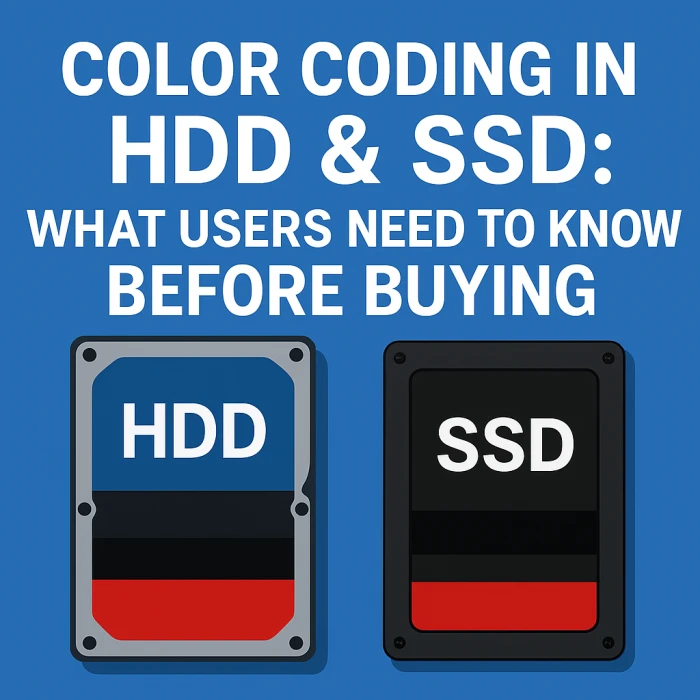

Choosing the right hard drive (HDD) or solid-state drive (SSD) can be daunting. Manufacturers often use color coding to differentiate their drivelineups, indicating the intended use case and performance characteristics. This guide will demystify HDD and SSD color schemes, helping you make an informed purchase decision. We'll primarily focus on WD (Western Digital) and Seagate, the two dominant players, but also touch upon other brands where applicable.
Color coding simplifies the selection process by quickly conveying the target application of a drive. A red drive, for instance, generally indicates a focus on NAS (Network Attached Storage) applications, while a green drive usually signifies power efficiency and general use. Understanding these nuances can save you time and ensure you get a drive optimized for your specific needs.
Western Digital is well-known for its consistent and relatively standardized color system. Here's a breakdown:
| WD Color | Use Case | Features |
|---|---|---|
| WD Blue | Every day use, normal computing | Balanced speed, budget-friendly |
| WD Green | Low power usage, silent operations | Energy-efficient, slower speed |
| WD Black | High performance, gaming, heavy tasks | Fastest HDD series, high reliability |
| WD Red | NAS systems (24/7 usage) | Designed for RAID & continuous operation |
| WD Red Pro | Business NAS | Higher durability & workload rating |
| WD Purple | CCTV, Surveillance systems | Optimized for continuous video recording |
| WD Gold | Enterprise servers | Highest reliability, heavy workloads |
| WD Ultrastar | Data centers | Enterprise-grade endurance & performance |
Seagate also utilizes color coding, although their system is less rigidly defined compared to WD. Here's a general overview:
| Seagate Series | Use Case | Features |
|---|---|---|
| BarraCuda | Everyday computing, home/office PCs | Fast, reliable, budget-friendly; available in HDD & SSD versions |
| BarraCuda Pro | Professional use, high-performance desktops | Higher speed, large capacities, 5-year warranty |
| FireCuda | Gaming & creative workloads (HDD + SSD hybrid) | SSHD technology, faster load times than HDD |
| FireCuda SSD | High-end gaming & content creation | NVMe & SATA SSDs, extreme speed |
| SkyHawk | CCTV & surveillance systems | 24×7 video recording optimized, high endurance |
| SkyHawk AI | AI-enabled NVR systems | Supports higher AI workloads and analytics |
| IronWolf | NAS systems (Home/Small Office) | 24×7 usage, RAID optimized, vibration protection |
| IronWolf Pro | Business-grade NAS | Higher workload rating, longer warranty |
| Exos | Enterprise servers & data centers | Best durability, fastest enterprise HDD series |
| Nytro | Enterprise SSD lineup | Ultra-high performance, mission-critical workloads |
While WD and Seagate dominate, other manufacturers exist. They may use different naming conventions, but the underlying principles often remain the same. Look for clues in the product descriptions, such as "NAS," "Surveillance," or "High Performance," to understand the intended use case.
While color coding provides a useful starting point, it's crucial to consider other factors when choosing a drive:
Color coding primarily applies to HDDs, but SSDs are also sometimes categorized by color. For example, a "Black" SSD from WD (WD Black SN series) implies a high-performance NVMe SSD. Pay close attention to the *model name* as it is more important for SSDs than just the color. The colors in SSDs are often used to differentiate generations of the same product line.
Ultimately, the best drive for you depends on your specific needs and budget. Use color coding as a guideline, but always research the individual product specifications and read reviews to ensure it meets your requirements. Consider the intended use case, performance needs, and reliability expectations before making a final decision.
Tip: Don't solely rely on color coding. Always check the full specifications of the drive on the manufacturer's website. Pay attention to RPM, cache size, interface (SATA vs NVMe), and read/write speeds.
Hopefully, this guide helps you decide which storage drive is right for you! Good luck!
Disclaimer: While this information is intended to be accurate, manufacturers may change their product lineups and color coding schemes. Always verify specifications with the manufacturer before purchasing.